
Project Registry
Bound canonical repository roots, working trees and target identities to explicit validation maps before running checks.
 Reality Gateby The Proof Foundry
Local developer continuity & execution
WITHDRAWN · Windows · v1.1.0 · no current download
Reality Gate v1.1.0 (Windows), first published on 15 August 2026, was later withdrawn after a security packaging defect. No current public download is offered. Its historical record remains available. Proof Foundry's internal use of Reality Gate to qualify other products does not authorize or certify a successor public release.
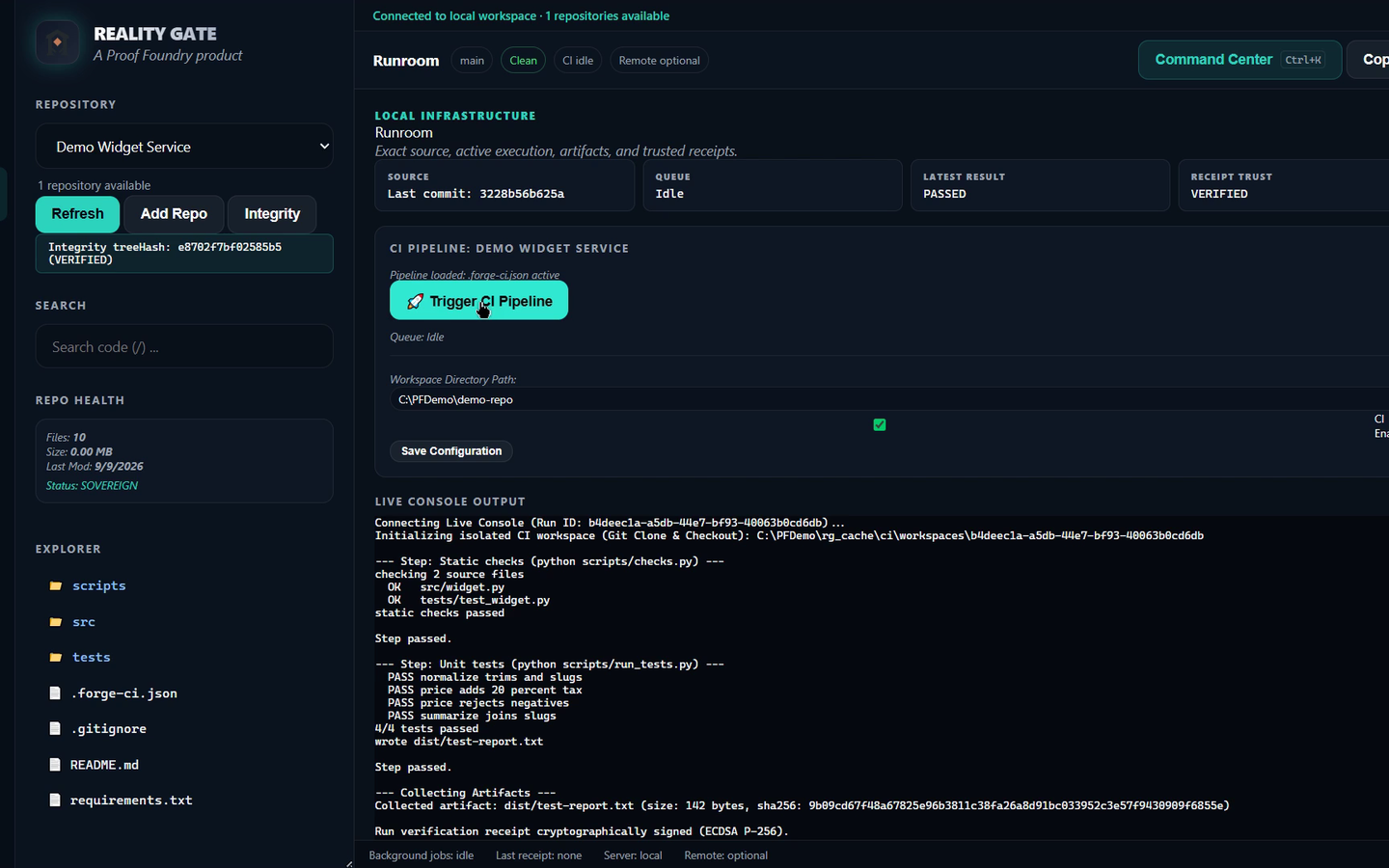
Watch it run
A screen recording of an edited demo run: the pipeline and its signed receipt, then the start of the backup and recovery steps. It does not show a completed recovery drill.
Historical capabilities
It worked with an ordinary Git repository and the tools and remotes already in use.
Bound canonical repository roots, working trees and target identities to explicit validation maps before running checks.
Built and tested in bounded local checkouts, with step-by-step log capture and execution cancellation.
Note: Runroom protected the main working tree; it was not an OS security sandbox.
Saved cryptographic, ECDSA P-256 signed run records binding source commit SHAs, test outcomes and build digests.
Note: Local signatures verified payload integrity against local keys, not third-party issuer trust.
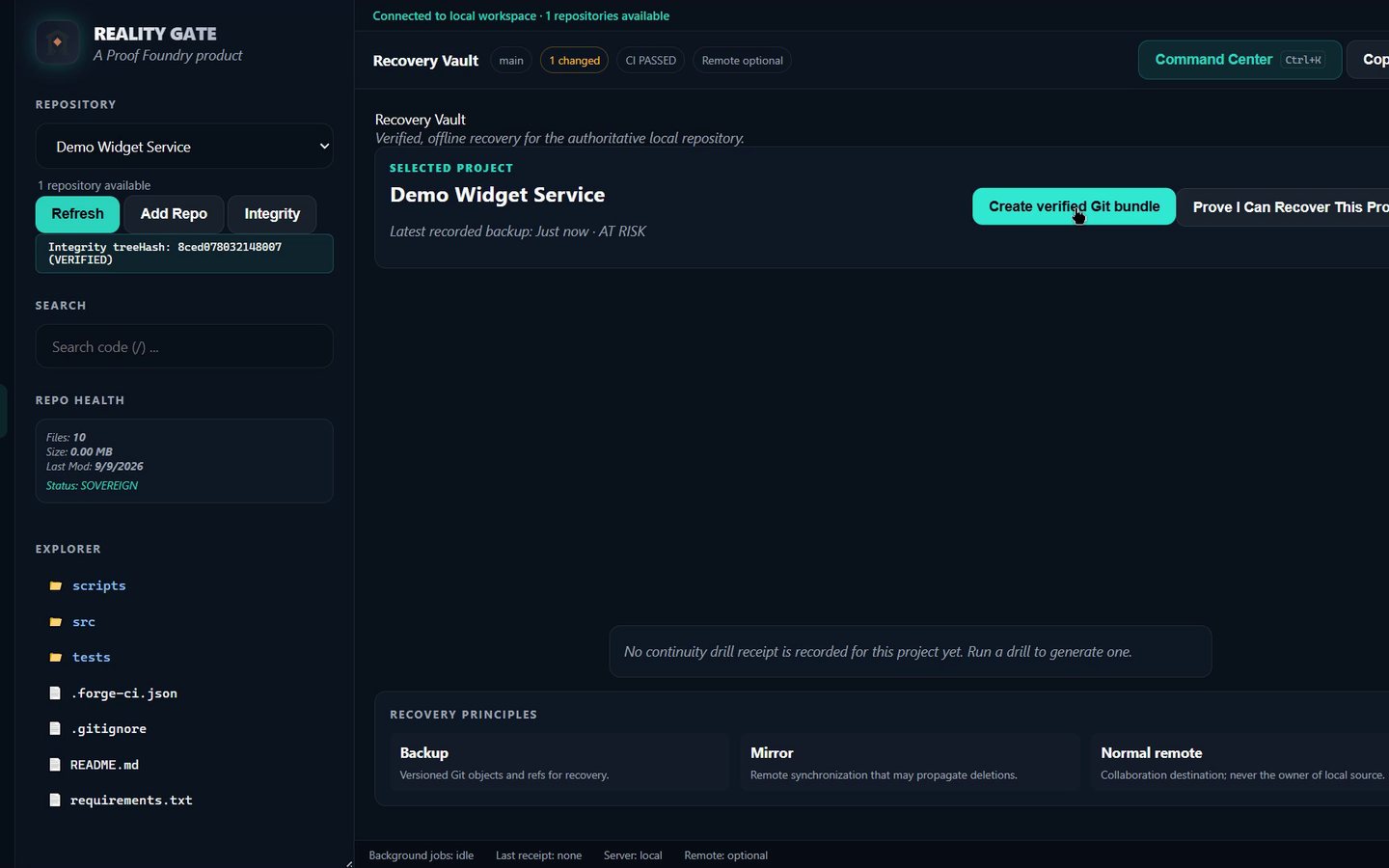
Prepared recovery bundles with explicitly recorded contents and rehearsed restoration into a separate location.
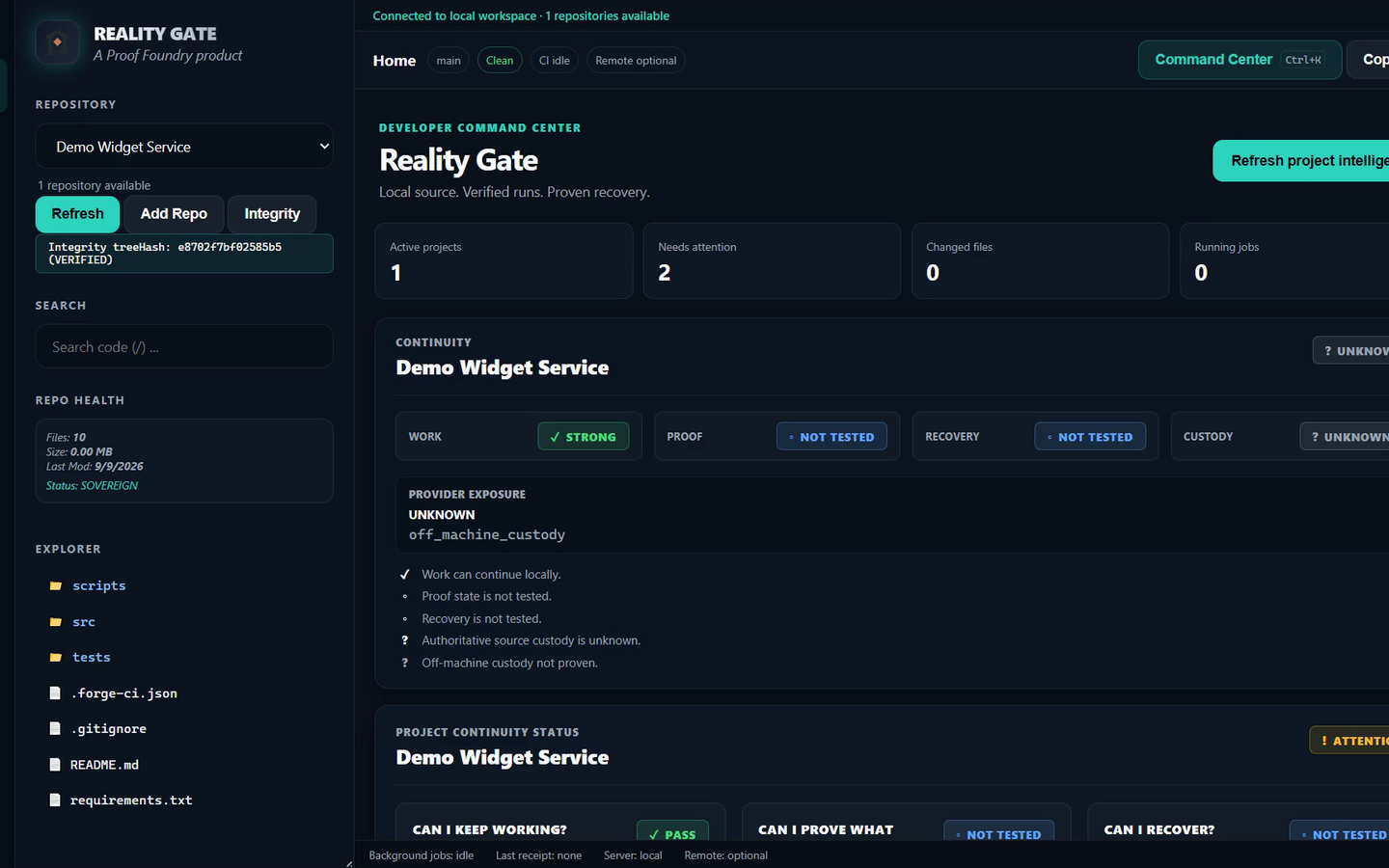
A look inside Reality Gate
Follow the actual interface. These are recorded product screens, not a running workspace.
Ready for recovery
Your repository is more useful with a restore path you have actually tried. Keep recovery bundles and their verification records alongside the work they protect.
The Origin Story
01 · Dependency Became Real
Access to a primary hosting account became unavailable in June 2026, and hosted automation was restricted in July 2026. The lesson: project execution and source inspection must never depend on a single online platform.
02 · The Response Moved Local
Initial local continuity work under OfflineForge Sovereign V2 evolved into Reality Gate: a local control plane for execution, verifiable run records, and independent project continuity.
03 · Recovery Was Proven
On 4–5 September 2026, a verified Reality Gate recovery bundle was used to reconstruct the Lights Out project repository, verifying source lineage and executing unit tests successfully.
Release availability
Withdrawn: v1.1.0 is not available for download. The release record lists the security disposition as unresolved. A later v1.1.1 Developer Pilot has historical release evidence, but Proof Foundry has no record that this website ever offered it for download.
Review historical release evidence ↓ · Review qualification record ↓
Availability record
These archived product materials describe the former package and do not provide installation instructions or a current download.
The qualification results below belong to the withdrawn v1.1.0 package. They do not authorize a current website download.
Windows 10/11 x64 · Former package record · Not available for download
Historical source regression at v1.1.0 qualification: 886 assertions passed across 55 test suites. SHA reference: 7a3e471. Historical v1.1.0 qualification record: Static 269/269 · Live registry 24/24 · Installed runtime 20/20. The v1.1.0 package was later permanently withdrawn after a security packaging defect.
The former v1.1.0 package is unavailable. Its recorded filename and checksum are retained as historical evidence only.
58cc27d22bdee8157ee4598e116e17ff42d0efc95630c97bee4b2bc6be6ce756
Windows verification: Get-FileHash ".\Reality-Gate-1.1.0-Developer-Pilot.zip" -Algorithm SHA256
When a workflow executes through Reality Gate, the platform creates a temporary local clone, executes whitelisted commands inside that isolated clone, collects execution logs and artifact checksums, and signs the outcome before persisting the receipt to the local Proof Ledger.
This matrix records the former v1.1.0 scope. Withdrawn package status does not establish current availability.
| Capability / Feature Area | Historical qualification | Implementation Detail |
|---|---|---|
| Passive Repository Registration (RG-01) | PASS ● Qualified in v1.1.0 | Reads local git state and path; zero repository or git config mutation. |
| Dependency Analysis & Remote Hub (RG-07) | PASS ● Qualified in v1.1.0 | Classifies local control vs remote push/fetch/clone exposure. |
| Isolated Clone CI Execution (RG-02) | PASS ● Qualified in v1.1.0 | Executes inside git clone --local with whitelisted commands. |
| ECDSA P-256 Signed Receipts (RG-03) | PASS ● Qualified in v1.1.0 | Signs run outcomes with local ECDSA key and exports Proof Passport JSON. |
| Proof Ledger & Recovery Vault (RG-04) | PASS ● Qualified in v1.1.0 | Persists local receipts and verifies SHA-256 Git recovery bundles. |
| First-Class CLI & Instance Discovery (RG-05) | PASS ● Branch Qualified | CLI tooling and instance discovery qualified on separate development branches. |
| Read-Only MCP Adapter (RG-06) | PASS ● Branch Qualified | 5 observe tools (rg_status, rg_projects, etc.) on adapter branch. |
| Governed Sessions & Leases (RG-08) | HOLD ◐ Remediation Open | Mutation lease audit run w2tyrc09b landing hold. |
| ReleaseRoom & Provenance (RG-09) | HOLD ◐ Owner STOP | Release publication requires explicit owner authorization. |
Capabilities progressing on separate development branches beyond the withdrawn v1.1.0 desktop package.
Execute instance discovery, project queries, and receipt verification directly from terminal scripts.
Development Scope: CLI tooling progressed on separate source lines beyond the withdrawn GUI package.
Exposes read-only observation tools (system health, project lists, execution receipts) to local AI agents over loopback.
Development Scope: Read-only observation tools for local AI agents over loopback; the adapter listens on 127.0.0.1:8765. Mutation tools remain closed.
Maps project dependencies and remote destinations (such as Cloudflare R2) to classify local control vs. remote exposure.
Operation identity and lease boundaries for governed actions.
Development Scope: Operation identity and lease boundaries for governed actions.
Illustrative sample receipt: the hash values are placeholders, not from a real run. It illustrates the fields of an ECDSA-signed Proof Passport JSON receipt.
{
  "receiptId": "rcpt_20260815_rg_00194827",
  "schemaVersion": "1.1.0",
  "subject": {
    "projectId": "demo-repo",
    "gitCommit": "c78e9d87afa4076497ee04e5f5070e4fed5ee406",
    "branch": "main"
  },
  "execution": {
    "isolationMode": "LOCAL_CLONE_ISOLATED",
    "startTime": "2026-08-15T18:22:04.112Z",
    "endTime": "2026-08-15T18:22:09.450Z",
    "outcome": "PASSED"
  },
  "integrity": {
    "sourcePreHash": "e3b0c44298fc1c149afbf4c8996fb92427ae41e4649b934ca495991b7852b855",
    "sourcePostHash": "e3b0c44298fc1c149afbf4c8996fb92427ae41e4649b934ca495991b7852b855",
    "artifactHashes": ["08b33e35c0bab65d6356b1b1b6f25a66"]
  },
  "signature": {
    "algorithm": "ECDSA_P256_SHA256",
    "publicKey": "04a1f8...",
    "signatureValue": "304402207b8..."
  }
}
Note: Illustrative schematic JSON structure demonstrating receipt fields and ECDSA signature envelope. Both source hashes are the SHA-256 of empty input, the 32-character artifactHashes entry is a placeholder rather than a SHA-256 digest, and the signature values are truncated.
The Proof Standard defines the studio's evidence discipline: honest claims, local receipts, test gates, plain-language limits, and zero marketing exaggeration. Reality Gate is a software tool that implements one specific set of execution and receipt-signing workflows under that doctrine.
Cross-Product Qualification Case Study: Reality Gate can qualify individual software workflows without becoming a runtime dependency of the software catalog. Example: Lights Out v11.1.3 underwent explicit 20/20 step Reality Gate Runroom qualification with Galaxy S23 mobile companion automation. Other software products operate independently and follow Proof Standard principles on their own terms.
Privacy & Data Flow
Historical evidence-backed behavior for Reality Gate Windows v1.1.0.
Project registries, build/test logs, ECDSA P-256 run receipts, and local keypairs are stored in your local %APPDATA%\RealityGate\ directory.
Core runroom execution runs locally without background cloud sync. Remote Git sync uses system Git CLI when initiated by the user.
Proof Foundry's own review of the source found no background telemetry, analytics tracking, or ad SDKs. Receipts and registries persist locally until cleared by the user.
Historical record
The Truth File keeps the withdrawn v1.1.0 record: its recorded checksum, test results and known limits.