Keep more than the last copy
Capture text, code, URLs, and image buffers in a searchable history while Cache Vault is active.
 Cache Vaultby The Proof Foundry
Local clipboard workspace
Cache Vault keeps copied text and images in searchable history. Open Quick Paste from any app to bring a saved clip back without losing your place.

A history you can use
Keep copied text and images searchable, grouped, and ready to use again.
Capture text, code, URLs, and image buffers in a searchable history while Cache Vault is active.
Search saved clips in Quick Paste and copy one back without losing your place in the current app.
Pin Favorites and organize clips into named Safes and Collections.
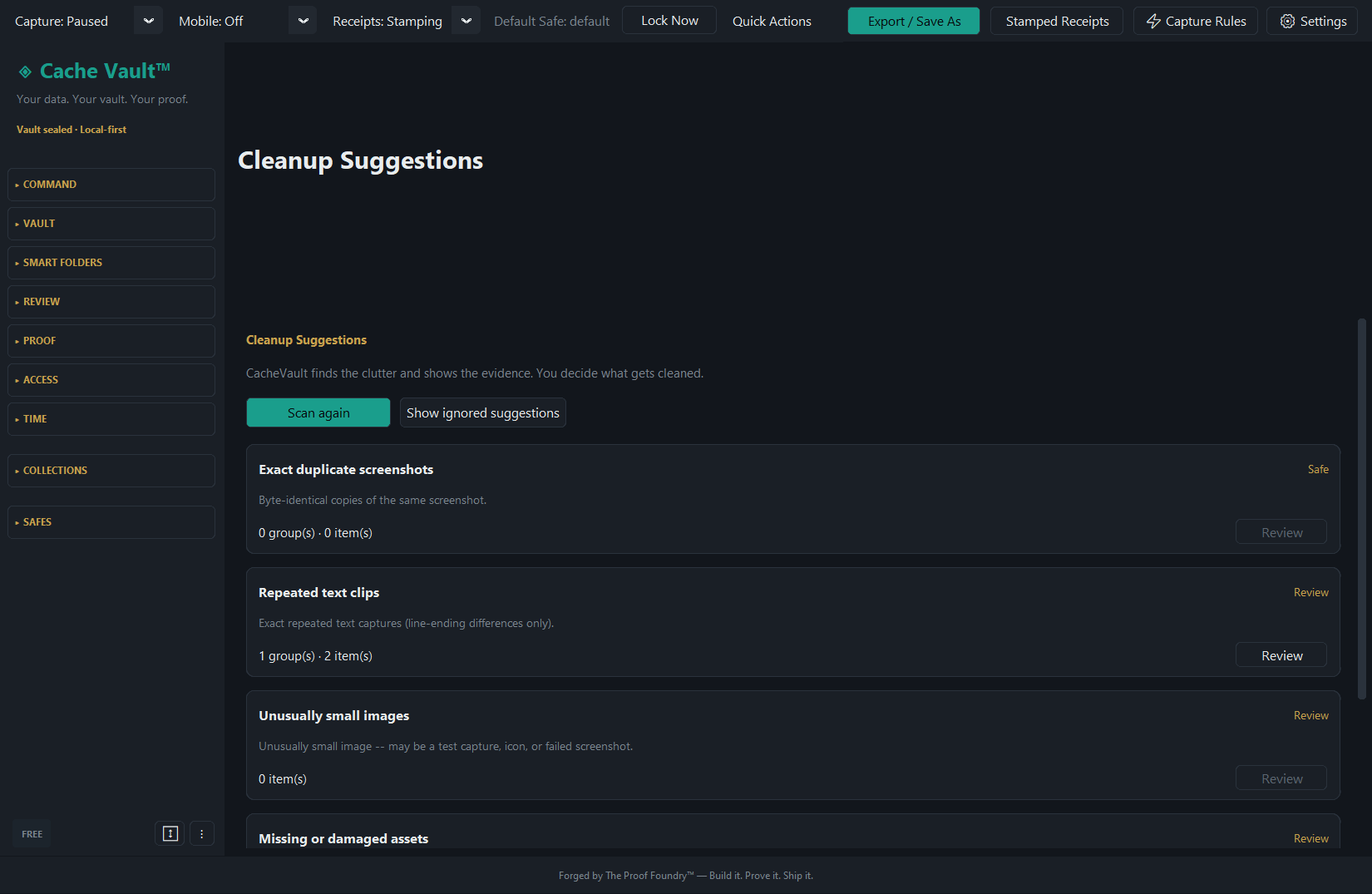
See grouped duplicate suggestions and choose what to keep or remove.
Export selected clips with a readable index, a machine-readable manifest, and a stamped receipt.
Try the idea
Search and pin a few clearly labeled sample clips. This small website preview is illustrative, not connected to the Cache Vault app.
6 sample clips
When the archive grows
Cache Vault groups duplicate suggestions so you can inspect the list and choose what to keep or remove. Nothing is cleared automatically.
See the workflow
A silent screen recording of Cache Vault’s Windows v0.2.4 release line, using sample clips.
Get the software
v0.3.1 is the current public Windows release. The Windows ZIP is available from Proof Foundry downloads. The release-signed Android companion v0.3.1 APK is public on GitHub Releases and Proof Foundry downloads.
The Windows package is unsigned, so SmartScreen may prompt on first launch. A matching SHA-256 confirms file identity; it does not certify the software.
Android: download the public, release-signed v0.3.1 companion APK. It has a standalone phone-local vault; pairing to a PC is optional.
Phone-side copies made in another app can be saved through the persistent “Save last copy” notification or when you next open the app; screenshots import automatically. Android does not allow silent background clipboard reads.
This Windows package is unsigned. Verify its checksum before deciding whether to run it; a matching checksum confirms the file matches the published artifact.
d0c59c440b1d5787c9319e1bdf8829f117ccaa2d64d3424dd6955a84fb975d45
Desktop verification: Get-FileHash ".\CacheVault-v0.3.1-windows.zip" -Algorithm SHA256 (Phone-native verification guidance is being prepared on the support hub)
Set up and keep it yours
%APPDATA%\CacheVault\. Uninstalling does not remove that directory; delete it to remove all local data.Privacy & Data Control
Text snippets, developer code, URLs, and image buffers copied to your system clipboard while Cache Vault is active.
No cloud account or cloud storage is required. Core desktop features work locally on your machine. The optional Android companion communicates directly with your desktop over your local network.
Clips are stored in a profile-isolated local database within your local profile application data directory.
Selected collections are exported to a portable folder/ZIP containing an index.html file for reading, a manifest.json for parsing, and a stamped_receipt.txt recording export details.
Release records, checksums, detailed scope and qualification evidence. The Proof Foundry download URLs on downloads.theprooffoundry.com were checked live on 1 October 2026.
Current download: Cache Vault v0.3.1 for Windows. This release adds phone-side capture to the Android companion: copies made on the phone save from the persistent Save last copy notification or when you next open the app, screenshots import automatically, and a sensitive auto-block (on by default) refuses password-, key-, token-, and card-looking clips. Android grants no app background clipboard access, so nothing is captured silently while another app is in front. Companion v0.3.1 is release-signed (certificate SHA-256 c2eb5c42a684326ceba1289e65e9690ed71daf770de64e2b83a42bce04026a2c) and published on GitHub Releases and Proof Foundry downloads. The Windows build is not code-signed, so Windows SmartScreen may prompt on first launch; verify the SHA-256 before running it.
Recorded artifacts and checksums. Current download availability is described above.
The canonical checksum for the v0.3.1 Windows ZIP, with a copy control, lives in the Verify this download block in Get the software above.
SHA-256 published in the v0.3.1 SHA256SUMS.txt on Proof Foundry downloads. Release commit: eddbae7a2763d1994dae1e43e744ca8225d93eb3.
Verify the production-signed CacheVault Mobile v0.3.1 APK before installing it.
Published in the v0.3.1 companion SHA256SUMS.txt on Proof Foundry downloads. The Android APK has its own checksum and release-signing certificate.
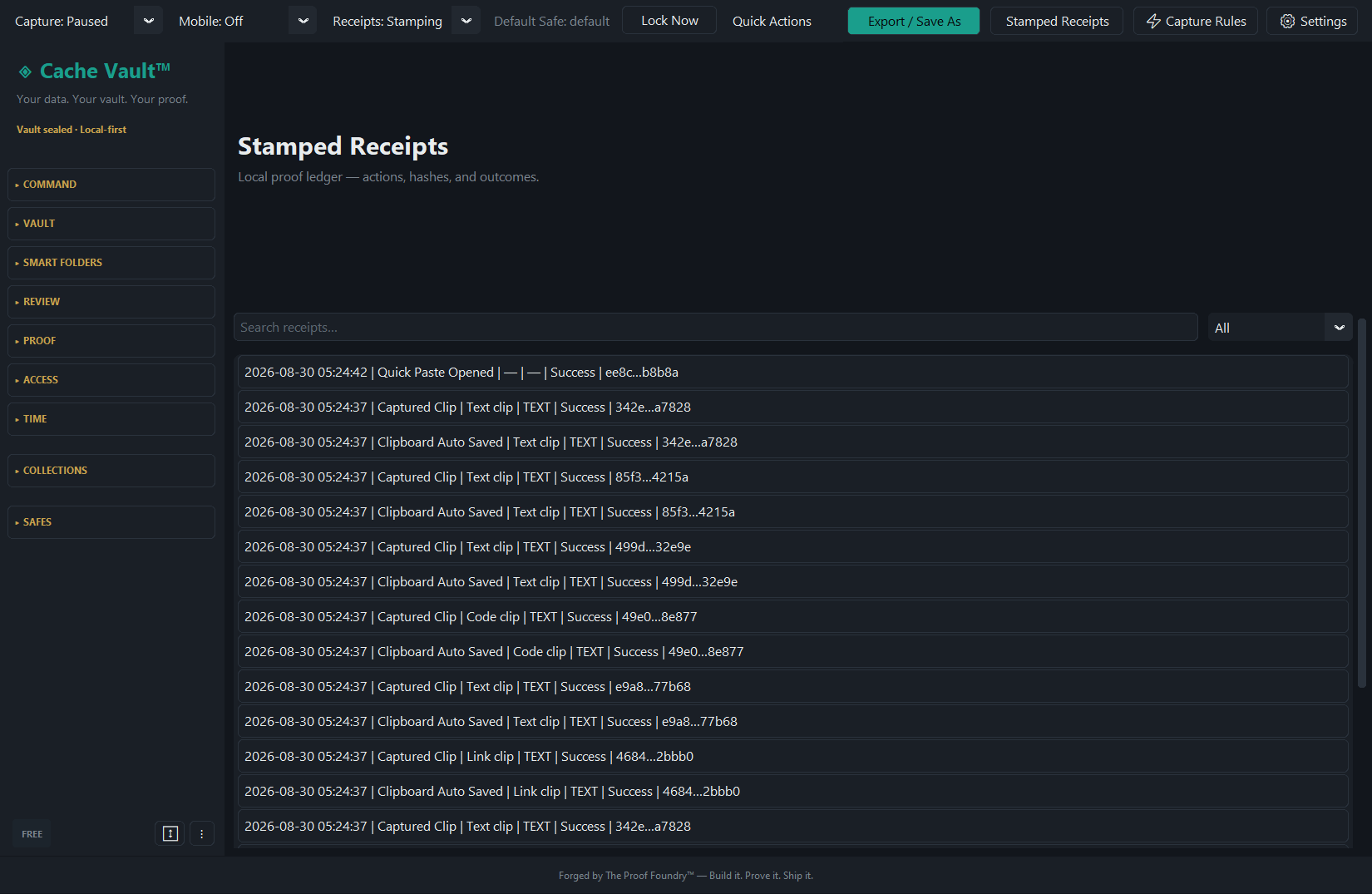
The receipt ledger records events for every clip: created, copied, exported, pinned, moved, and expired — with the timestamp and the action that produced each event.
What is true right now, including what is not yet released.
v0.3.1 is the current public Windows release, served from Proof Foundry downloads; v0.3.0 (2026-09-30) is the previous public release. The release-signed Android companion v0.3.1 is public on GitHub Releases and Proof Foundry downloads, and has a standalone phone-local vault with notification- or focus-gated clipboard saving, screenshot import, and sensitive auto-block on by default. The Windows build is not code-signed, so SmartScreen may prompt on first launch — verify the checksum above first.
The release record points to Proof Foundry downloads for the v0.3.1 Windows ZIP, SHA-256 checksum and release receipt. The URLs are verified live on downloads.theprooffoundry.com (checked 1 October 2026; the downloaded ZIP's SHA-256 matches the published digest).
Command Center is Phase 1 only (Hotkey Actions) in the current release. Later phases such as Text Expansions and Run Log UI are not claimed until they ship.
Privacy & Data Flow
Evidence-backed behavior for Cache Vault Windows v0.3.1 and Android companion v0.3.1.
System clipboard history, code snippets, image buffers, and Quick Paste ledgers are stored in a profile-isolated SQLite database in %APPDATA%\CacheVault\.
The desktop core needs no cloud account, and the Android companion keeps its own vault on the phone. Optional pairing transfers selected clips directly over local Wi-Fi; the v0.3.1 paired-PC lane has not yet been device-proven.
The release does not send background telemetry or cloud analytics. Clips persist locally up to configurable limits. Delete individual entries, clear collections, or export portable ZIP archives at any time.
Keep what you copy
Install the vault, copy as you always do, and find it all when it matters.