
Inspect
See the candidates and select the files you want to move.
 Cleanroomby The Proof Foundry
Precise, reversible Windows cleanup
Inspect what you want to clear. Archive the files you choose. Restore them to their original paths when you need them again.
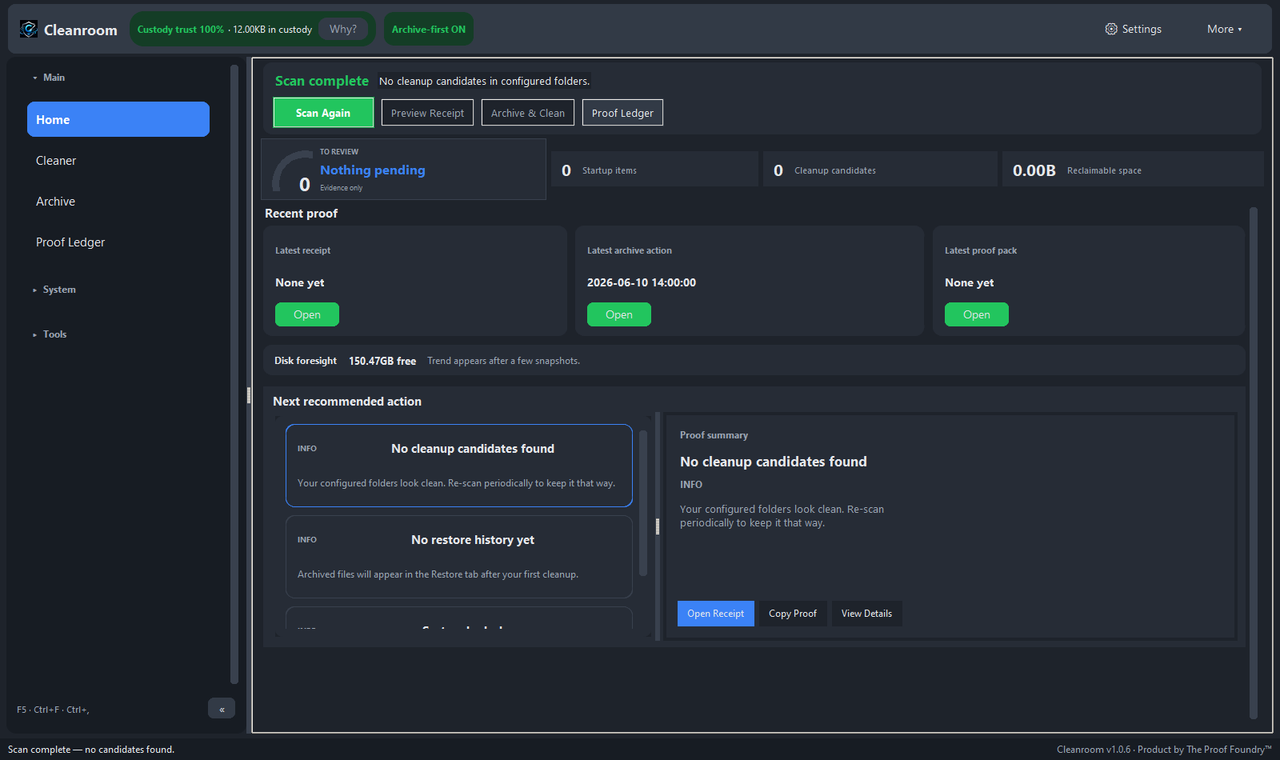
Made for the way you work
Cleanup starts with a review, and leaves a record.
See the candidates and select the files you want to move.
Move selected files out of the active location into an archive before removal.
Use the recorded original paths to put archived files back when needed.
A little less clutter
Try the reversible workflow with sample files. Nothing on your device is accessed or changed.
Choose what to put away.
Traceable by design
The activity ledger records cleanup actions and archive locations. You have a trace to inspect when you need to undo a decision.
Earlier screenshots of this step have been retired.
Get the software
Public Windows installer v1.0.7. Candidate v1.0.10 is on hold and is not an authorized public release.
This Windows package is unsigned, so SmartScreen may prompt on first launch. Verify the SHA-256 checksum below before deciding whether to run it.
What changed in this release ↓
This Windows package is unsigned. Verify its checksum before deciding whether to run it; a matching checksum confirms the file matches the published artifact.
2cd6953015ce0b8e429c869564be11ad10504332aded10b442a58ea2b990a76e
Windows verification: Get-FileHash ".\Cleanroom-Setup-1.0.7.exe" -Algorithm SHA256
Set up and keep it yours
Cleanroom-Setup-1.0.7.exe installer. The installer is not Authenticode-signed, so Windows SmartScreen may prompt — choose More info → Run anyway after verifying the SHA-256.%APPDATA%\Cleanroom\Archive\ until restored or explicitly purged by you. Uninstalling the app does not restore or delete that archive; restore what you need first, then remove the directory if you want it gone.Release records, checksums, detailed scope and qualification evidence. Candidate evidence does not change public availability.
The public release and its checksums.
The canonical checksum for the v1.0.7 Windows installer, with a copy control, lives in the Verify this download block in Get the software above.
SHA-256 published in the v1.0.7 SHA256SUMS.txt on Proof Foundry downloads.
Public release v1.0.7 (Windows). Served via Proof Foundry distribution while GitHub release access is unavailable. Candidate v1.0.10 is on hold and is not an authorized public release. Local v1.0.10 source: 627 tests collected, 608 passed (run date not recorded).
Honest about scope.
Built for Windows. No macOS or Linux build in this release.
The current public release is v1.0.7. Candidate v1.0.10 is on hold and is not an authorized public release. Nothing newer is claimed here until it is actually established.
No release receipt or source commit is published for v1.0.7.
Privacy & Data Flow
Evidence-backed behavior for Cleanroom Windows v1.0.7.
Scanned temporary files are archived into %APPDATA%\Cleanroom\Archive\ before removal. Archive manifests record original file paths to support exact one-click restoration, as described by Proof Foundry for v1.0.7; no release receipt is published.
No application network path was found in Proof Foundry's own review of the public v1.0.7 source and packaged dependency surface. Performs zero background uploads or cloud requests.
Zero background telemetry or cloud analytics. Archived files remain safely on local disk until restored or explicitly purged by the operator, as described by Proof Foundry for v1.0.7; no release receipt is published.
Precise, reversible cleanup
Review what goes, archive it, and put it back if you change your mind.