
Find your window
See when conditions are most useful for your plans — and what changes through the day.
 ForgeCastby The Proof Foundry
Weather for what you do
ForgeCast turns changing weather into practical decisions — when to head out, what makes sense to wear now, what you may want later, and why.
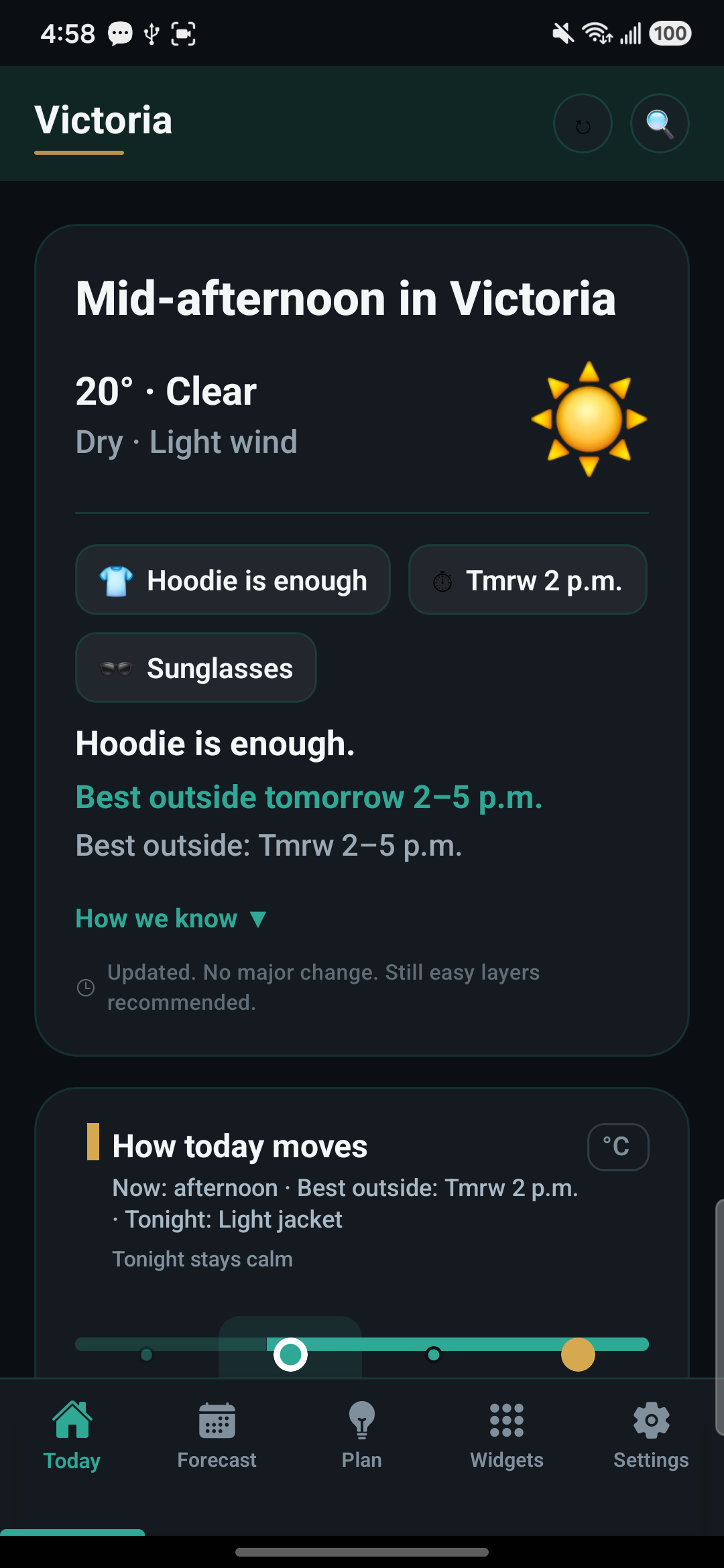
Made for the way you work
Start with what the weather means for your day. See the best window to get outside, what to wear now, what to bring for later, and the conditions behind the recommendation.
See when conditions are most useful for your plans — and what changes through the day.
Get clothing guidance based on current conditions, rain risk, timing, and what is coming later.
ForgeCast separates what makes sense right now from what you may want if conditions change.
Ask about a walk, an outfit, rain, timing, or the rest of your day. ForgeCast answers from the forecast and shows the reasons behind the recommendation.
Forecast-aware widgets surface useful decisions without pretending stale weather is current.
Weather, with a next step
Move through a sample day. See how a forecast can become a useful decision.
Clouds giving way
09:00 · MorningA cool start. Bring a layer you can take off as the day warms up.
Interactive website preview · illustrative forecast, not live weather.
Beyond the app
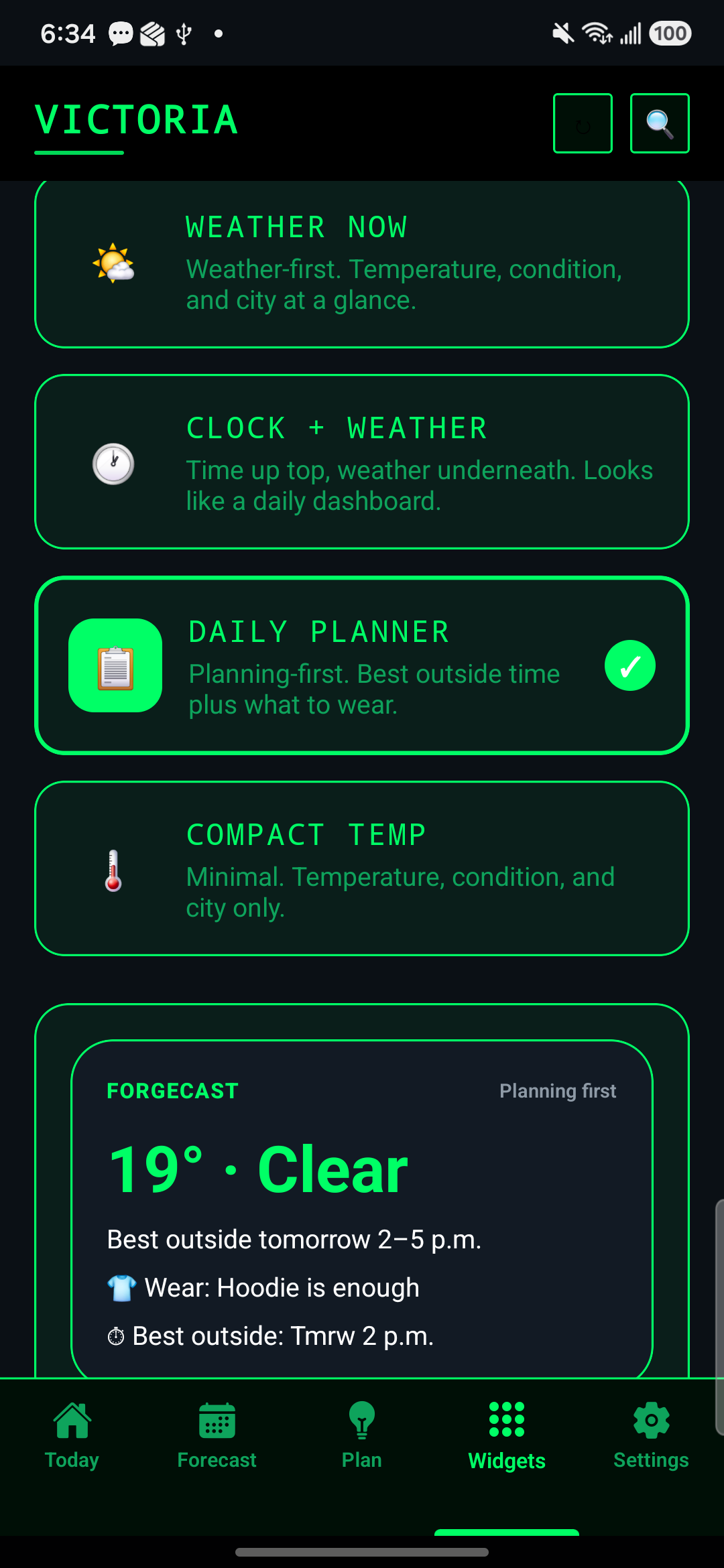
Check the forecast from your home screen. Widgets surface timing and clothing guidance, and tell you when their weather data may be outdated.
Get the software
Public v0.3.5 APK for Android 8 and later. Download and install directly on your phone.
Upgrading? From v0.3.4, install normally. From v0.3.3 or earlier, the signing change requires uninstalling the old app first; uninstalling removes local settings and data unless separately preserved.
This APK uses ForgeCast’s production signing identity. Android may ask you to allow installation from your browser.
a28db27cd16b3e45f3e75cc0d7c7a4b101646573de9954ec40dbf03e5439bea1
Desktop verification: Get-FileHash ".\ForgeCast-Weather-v0.3.5-android-release.apk" -Algorithm SHA256 (Phone-native verification guidance is being prepared on the support hub)
Set up and keep it yours
/data/data/com.prooffoundry.skyfoundry/) holds saved locations, wear/bring settings, and widget forecast caches. Uninstalling removes this app-local data unless separately preserved.Release records, checksums, detailed scope and qualification evidence. Candidate evidence does not change public availability.
Public build evidence and checksums.
The canonical checksum for the v0.3.5 APK, with a copy control, lives in the Verify this download block in Get the software above.
SHA-256 published alongside the APK on Proof Foundry downloads.
Public release v0.3.5 (Android APK). Adds Ask ForgeCast (deterministic weather-decision answers with evidence, no cloud chatbot), condition- and timing-aware Wear/Bring clothing guidance, dynamic decision widgets (Best Window, Wear/Bring, rain and cooling changes ahead, honest stale state), a forecast-aware Ask discovery strip with screen-reader support, and Samsung OneUI widget reliability (native cached-bitmap restore after reboot or background freezing). Upgrading from v0.3.4 keeps settings and data (verified on device); upgrading from v0.3.3 or earlier requires uninstall/reinstall. Served via Proof Foundry distribution; the same bytes are attached to the v0.3.5 GitHub release.
Honest about what this release does not do.
Privacy & Data Flow
Evidence-backed behavior for ForgeCast Android v0.3.5.
Saved locations, wear/bring guidance settings, and widget forecast caches persist in Android app-private storage (/data/data/com.prooffoundry.skyfoundry/).
Fetches weather forecasts over HTTPS for user-selected or coarse/fine location targets. Forecast queries send location coordinates to public weather APIs to return live weather data.
Zero background telemetry, analytics SDKs, or ad tracking frameworks. Forecasts cache locally for offline viewing until TTL expiration.
Weather for what you do
Install ForgeCast, ask about your day, and head out at the right time.